
Once your WooCommerce store is set up and the shipping methods are activated, you can sync orders with ShipSmart to ensure they are processed correctly.
Follow the instructions below:
1. Access the Orders Section
In the admin panel, go to WooCommerce > Orders.
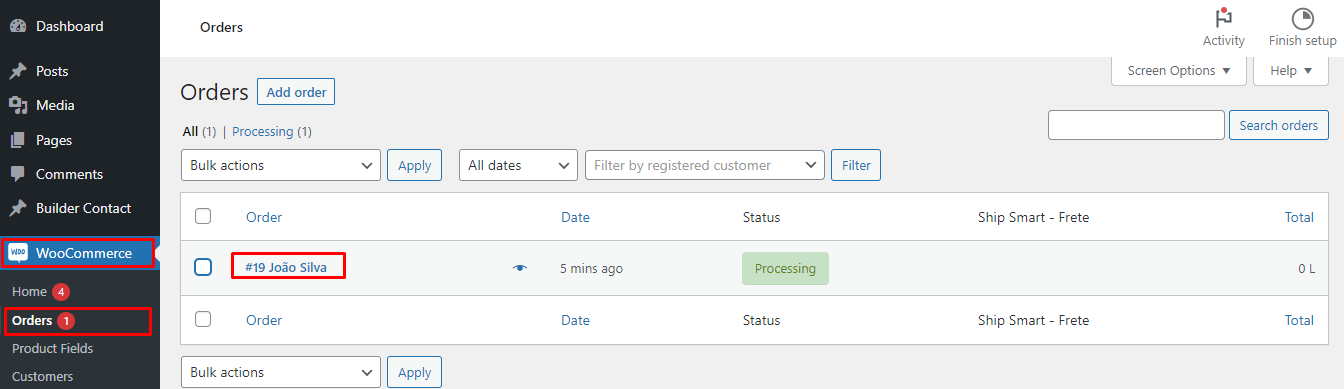
Click on the order you want to sync.
2. Fill in the Required Information
In the Shipping Data – ShipSmart section, enter the invoice key (NFe).
3. Sync the Order
After entering the invoice key, click the Sync button.
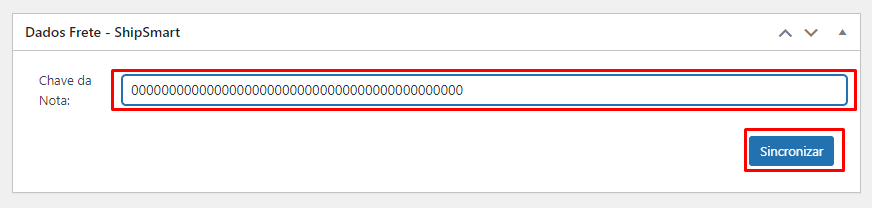
The order status will update automatically.
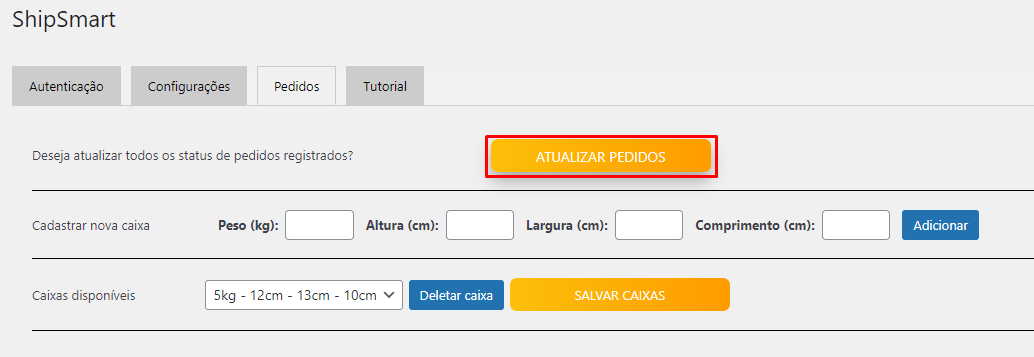
If the update does not occur immediately, you can go to WooCommerce > ShipSmart > Orders and click “Refresh Orders” to force the manual update.
That's it! Syncing allows shipping information to be sent to ShipSmart, making it easier to manage shipments and track orders.